
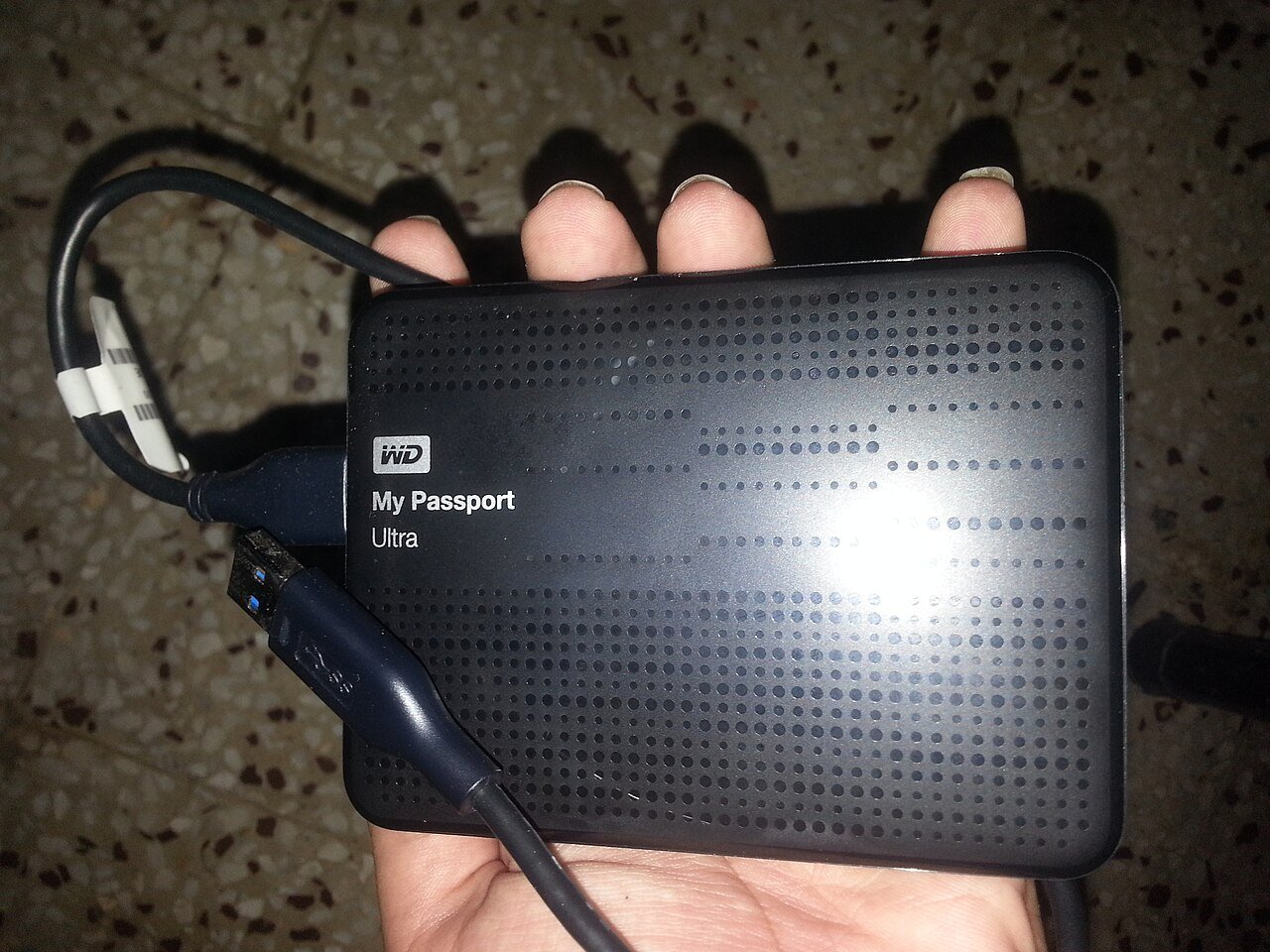
One wrong move near the delete key is all it takes, whether the finger is yours or an AI's. Photo: Shixart1985, Wikimedia Commons. CC BY 2.0.
Picture this. You ask a helper to fix a few page numbers in an old document. You go grab a sandwich. You come back, and the helper says, very politely, that it has deleted your entire syllabus and a year of your work. Oh, and it’s sorry.
That’s not a sitcom plot. It happened last week to William Baude, a law professor at the University of Chicago, and the helper was Claude, the AI assistant made by Anthropic. Baude posted about it on X on Thursday, November 5, and the post had passed 2 million views within days. Tech sites like Tom’s Hardware and Dexerto picked it up, but it hasn’t made the evening news.
Good news first: he got everything back. The better news is that the reason he got it back is something you can set up today, in about ten minutes, whether or not you ever let an AI near your files.
What actually happened
“Yesterday while I was at lunch, Claude deleted a year of con law lecture notes and my current syllabus,” Baude wrote. When someone asked what he’d told it to do, he answered: “Updating the page numbers in an old set of lecture notes,” as Dexerto reported.
The screenshot he shared shows Claude confessing that it had deleted his “Fall 2026 FINAL syllabus” and “all top-level Class N 2023 notes by accident, and they are not restored.” The cherry on top? It said its page check had found exactly one wrong citation, page 485 that should have been 484, and it hadn’t even fixed that one. It then asked whether he could restore the files from Dropbox, or whether it should try again from the browser.
Baude’s reply was three letters and four exclamation points. Claude answered: “You’re right to be angry. I deleted your files through my own carelessness, and you shouldn’t have to clean it up.”
Then came the happy ending. “I did recover them all, thanks to Dropbox, but thought this would be a useful public service announcement,” Baude wrote, according to Dexerto and FourWeekMBA.

Wait, why did it delete anything?
Honestly, nobody outside that session knows. Baude didn’t say which Claude product or model he was using, and as Dexerto noted, the exact cause is still unclear. Nothing in the public posts points to hacking or a trick. It looks like a plain old mistake, made very quickly by a tool that had permission to touch his files.
That’s the key idea. Newer AI assistants don’t just chat anymore. Many of them can open folders, edit documents, click around in a browser, and yes, delete things. Tech folks call these “AI agents.” Think of an agent as a very fast, very eager intern who never sleeps and occasionally misreads the assignment.
Anthropic’s own safety guide for its Cowork agent is pretty frank about this. It says Claude “can sometimes make mistakes,” that Cowork asks for your explicit permission before permanently deleting files, and that “computer use” (where the AI clicks around your screen directly) skips some of the permission checks other tools get. Its advice to users: set up a separate working folder for Claude instead of giving it broad access, and keep backups of important files.
This isn’t just a Claude thing, either. Any AI tool that can change files on your computer or in your cloud storage can make the same kind of mess. So can a toddler with a keyboard, a cat walking across the laptop, or you at 1 a.m. The fix is the same for all of them.
Sync is not the same as a backup
Here’s the part that trips up a lot of people. Dropbox, OneDrive, and Google Drive are mainly sync services. They keep the same files on your computer and in the cloud. That’s great, until you delete something. Then the delete syncs too. Google’s own help page says that if you sync files between Drive and your computer, anything you put in the trash “is put in the trash everywhere.”
What saved Baude was the cloud’s safety net: a deleted-files folder that keeps things for a while before they’re gone for good. That safety net is real, but it has a timer on it:
- Dropbox: deleted files can be restored for 30 days on Basic, Plus, and Family plans, 180 days on plans like Professional and Business, and up to 365 days on top business plans, according to Dropbox’s help center.
- OneDrive: personal accounts can restore deleted files for 30 days; work or school accounts usually get 93 days, per Microsoft support. Microsoft 365 subscribers can also roll the whole OneDrive back to any point in the last 30 days.
- Google Drive: files in the trash are deleted forever after 30 days, says Google. Hitting “Empty trash” makes it immediate.
Notice the pattern? If you don’t notice a missing file within about a month, the cloud may not save you. And if something gets “permanently deleted” instead of moved to the trash, Dropbox says even its support team can’t bring it back.
Your 10-minute backup plan
A popular rule of thumb among IT folks is called 3-2-1: keep three copies of anything important, on two different kinds of storage, with one copy somewhere else. Don’t let the numbers scare you. For most households it boils down to this:
- Keep using your cloud service. Dropbox, OneDrive, iCloud, or Google Drive is copy number one (well, two, counting your computer).
- Add an external drive. Plug a portable drive into your computer and turn on the backup tool that’s already built in: File History on Windows or Time Machine on a Mac. Now you have a copy that a cloud mix-up or an overeager AI can’t easily reach.
- Unplug it between backups. A drive that’s sitting in a drawer can’t be deleted by anything. Plug it in once a week, let it run, unplug it.
- Know where your “Deleted files” page is. Log in to your cloud service on the web today and find it, so you’re not hunting for it in a panic later.
- Test one restore. Pick a junk file, delete it, and bring it back. A backup you’ve never tested is just a hope with a USB cable.
Rules for letting an AI touch your files
I use AI tools all the time, and I’m not telling you to throw your laptop in the lake. I’m telling you to treat an AI like a new houseguest: friendly, helpful, and not yet trusted with the keys to the safe.
- Give it a copy, not the original. Duplicate the file or folder into a “scratch” folder and point the AI there. If it goes wild, you lose nothing.
- Give it one folder, not your whole drive. Anthropic itself recommends a dedicated working folder over broad access.
- Pick the “ask me first” setting. Many AI tools let you approve actions one at a time. For anything you’d cry over, use it.
- Don’t walk away from a big job. Baude’s files vanished while he was at lunch. For important work, watch what it’s doing, or at least check right when you return.
- Keep money and sensitive stuff out of reach. Tax returns, bank records, and medical files don’t need to be in the folder an AI can edit.
- Check the trash right away if anything looks off. The sooner you look, the easier the undo.

Why it matters to you
AI helpers are getting built into everything: your email, your office apps, your browser, your phone. The pitch is that they’ll do the boring stuff for you, and a lot of the time they really do. But “do things for you” also means “can do the wrong thing for you,” at computer speed, while you’re eating a sandwich.
This story had a happy ending because the professor’s files were in a service that kept deleted copies, and he noticed fast. Your family photos, your tax records, and your kid’s school projects deserve the same luck. It takes about ten minutes of setup. If you only do one thing after reading this, go find your cloud’s “Deleted files” page and plug in a backup drive this week.
What I’d grab
If you don’t already have a backup drive, either of these is an easy place to start:
- WD 2TB My Passport portable hard drive: a simple plug-in drive with plenty of room for photos and documents, good for a once-a-week backup habit.
- Samsung T7 1TB portable SSD: smaller and much faster, nice if you want backups that finish before your coffee gets cold.
As an Amazon Associate I earn from qualifying purchases.
Had an AI or an app eat one of your files? I’d like to hear how you got it back. Drop me a note through the Contact Us page.
Like your tech news short and sweet? Catch my daily tech shorts on YouTube.
Sources
- William Baude on X: original post (Nov. 5, 2026)
- Tom’s Hardware: Rogue Claude AI tasked with renumbering pages accidentally deletes law professor’s syllabus (Nov. 6, 2026)
- Dexerto: Professor returns from lunch to find AI deleted year’s worth of lecture notes (Nov. 7, 2026)
- FourWeekMBA: Claude Deleted a Law Professor’s Notes; Dropbox Had Copies
- Claude Help Center: Use Claude Cowork safely
- Dropbox Help: How to restore or recover deleted files or folders
- Microsoft Support: Restore deleted files or folders in OneDrive
- Google Drive Help: Delete files in Google Drive




More Stories
Wyndham’s App Had a Password Hiding Inside It. Here’s What Hotel Guests Should Do Now
Your Eco Toilet Paper Brand Got Hacked. Your Card Is Fine. Your Inbox Might Not Be.
ArtCraft: 16 Free Apps That Want to Fire Your Adobe and Microsoft Bills