Today in Las Vegas, EG4 Electronics rolled out its newest big system at RE+, the country’s largest clean energy show. That’s exciting if you’re shopping. But if you already have an EG4 inverter in your garage, there’s a less exciting question worth ten minutes tonight: is the little Wi-Fi dongle on the side of it running the security update EG4 put out last year?
Plenty of owners never got the memo. In 2025, the federal Cybersecurity and Infrastructure Security Agency (CISA) published an official advisory about security flaws in several popular EG4 inverters. EG4 has since fixed some of them on its end, but two of the fixes only reach your system if you install them yourself. Here’s what’s real, what’s not, and a plain-English EG4 inverter security checklist you can work through tonight. Full disclosure: I run EG4 gear at home, and EG4 doesn’t pay me for this post.
First, what’s confirmed and what isn’t
You may have seen posts on social media claiming EG4 systems have been “hacked.” I couldn’t verify any of those claims, so I’m not repeating them as fact. What I can point to is the government record. In its advisory, last revised Sept. 9, 2025, CISA said that “no known public exploitation specifically targeting these vulnerabilities has been reported” to the agency. In plain terms, the holes were real and serious on paper, but CISA had no reports of anyone actually using them against these inverters.
Still, “nobody’s been caught doing it” isn’t the same as “locked up tight.” CISA rated the worst of the problems 9.2 out of 10 for severity. That’s why it’s worth closing the gaps you can.
Which EG4 inverters are on CISA’s list
CISA’s advisory covers all versions of these models:
- EG4 12kPV
- EG4 18kPV
- EG4 Flex 21 and Flex 18 (the FlexBOSS21 and FlexBOSS18)
- EG4 6000XP
- EG4 12000XP
- EG4 GridBoss
About 55,000 customers owned the affected inverters when the advisory came out, TechCrunch reported. Today’s new Homestead 60 and the XR 60 we covered in our XR 60 breakdown aren’t on CISA’s list. I couldn’t find any public security review of either one yet, so if you’re buying one, ask your installer which monitoring dongle ships with it and whether encryption is turned on out of the box.
What the four problems were, in plain English
- Unencrypted commands (CVE-2025-52586). Commands between the monitoring app and the inverter traveled as plain text. Someone already on your local network could read or fake settings like voltage, power output or a system reset. Fix: a dongle firmware update you install yourself.
- Unchecked firmware (CVE-2025-53520). The inverter would accept a firmware file without checking that it really came from EG4, so a tampered file could get installed. Fix: new inverter firmware, available by emailing EG4 support.
- No limit on PIN guesses (CVE-2025-46414). Someone with your serial number could keep guessing your PIN. EG4 fixed this on its servers on April 6, 2025. Nothing for you to do.
- Leaky registration website (CVE-2025-47872). EG4’s registration page let people figure out which serial numbers were registered. EG4 fixed this on Aug. 14, 2025. Nothing for you to do.
One more thing worth knowing: one customer told TechCrunch that EG4 “didn’t even bother to notify me or offer suggested mitigations.” EG4 founder James Showalter called that a “live and learn” moment. So don’t assume you’d have heard about a fix. Check for yourself.
Step 1: Find out which dongle you have
Look at the sticker on the side of the dongle plugged into your inverter. According to EG4’s Wi-Fi dongle troubleshooting guide, the second character of the serial number tells you what you’ve got:
- A (like BA…): first-generation dongle. EG4 says it can’t be updated remotely and doesn’t support encryption.
- G, I or J (like BG… or BJ…): second-generation dongle. This is the one that needs the update below.
- S: second-generation dongle that’s already encrypted.
- P: newer third-generation Wi-Fi 6 dongle. Q is the Wi-Fi plus Ethernet dongle, and B is the 4G cellular one.
If yours starts with BA, call EG4 support at (903) 609-1988 and ask what they recommend, since that model can’t get the encryption update.
Step 2: Update a second-generation dongle to firmware V3.0
EG4’s dongle firmware update guide walks through it. The short version:
- Update the EG4 Electronics app first. You need at least version 1.6.2 on Android or 1.5.9 on iPhone. Turn on Bluetooth and Location.
- In your phone’s Wi-Fi settings, connect to the dongle’s own network. Its name is the dongle’s serial number.
- Back in the app, tap Dongle Connect, choose Bluetooth Connect, and pick the serial number that matches your dongle.
- Make sure the update offered is E_V3_00, then start it and keep the app open until it finishes.
- When it’s done, the dongle type in the app should change from E Wi-Fi to E Wi-Fi ENC. That “ENC” means encrypted.
Read EG4’s warnings before you tap the button. The update can’t be undone, and EG4 says it will break some third-party monitoring gadgets that used to talk to the system. EG4 also calls it optional. If you rely on one of those add-on monitors, check with its maker first. Afterward, Bluetooth on the dongle is off until you press its button for a second, and the dongle’s hotspot gets a default password of 123456. Change that password in the app to something only you know.
Step 3: Ask EG4 for the inverter firmware fix
The firmware-tampering problem is fixed by new inverter firmware, not the dongle update. CISA says that file is available by emailing support@eg4electronics.com. Include your inverter model and serial number. If you’ve never updated your inverter, this is a good excuse to ask them what version you should be on.
Step 4: Lock down the network your inverter lives on
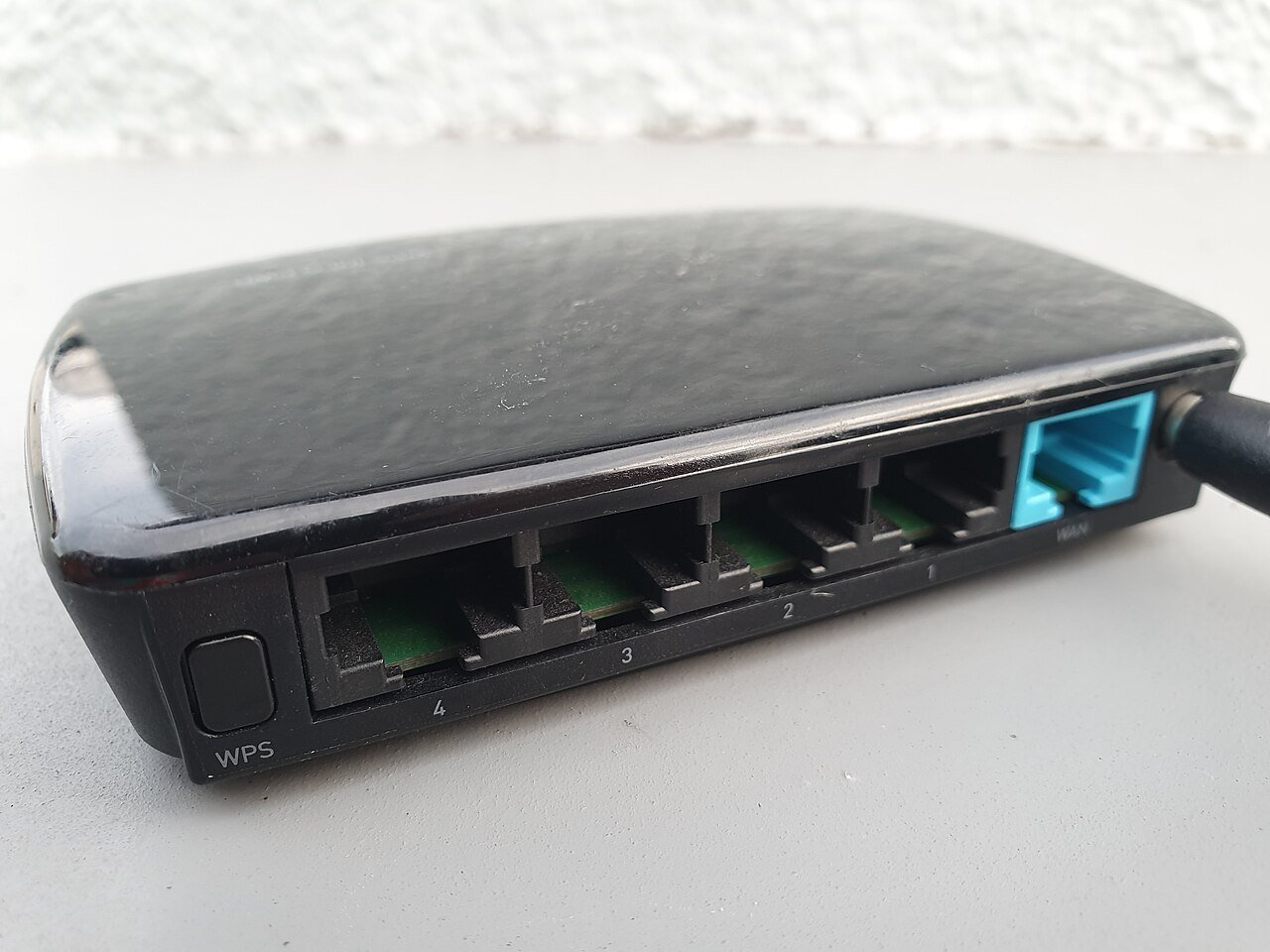
Every one of these flaws is much harder to use if strangers can’t reach your inverter in the first place. CISA’s own advice is to keep devices like this off the open internet and behind a firewall. At home, that means:
- Use a strong Wi-Fi password on your home network, and keep your router’s firmware up to date.
- Put the inverter on a guest or smart-home network so it’s walled off from the laptops and phones you bank on.
- Don’t set up port forwarding to your inverter or dongle. If you need remote access, use a VPN instead, as CISA recommends.
- Lock the dongle’s own hotspot. The dongle broadcasts its own little Wi-Fi network, and EG4’s troubleshooting guide says that by default any device can join it without a password. The V3.0 update adds a default password, and the guide also shows how to set a WPA2 password on it.
Or you can do what I did. When I set up my own EG4 system, I saw open ports on my network and took it off Wi-Fi on day one. The trade-off is that you lose remote monitoring and over-the-air updates, but the EG4 app can still monitor the system over Bluetooth when you’re nearby. If your setup earns money from a utility program like the virtual power plants we covered this morning, though, staying connected may be part of the deal.
Step 5: Watch out for “security” scammers
Any security scare is a gift to scammers. Be wary of emails, texts or calls claiming to be EG4 “security support” that ask for your login, a payment or remote access to your computer. CISA’s advisory specifically warns against clicking links or opening attachments in unsolicited emails. If you’re worried, call EG4 yourself at the number on its official website. EG4 told TechCrunch it added extra identity checks for tech support calls as part of its fixes. And if something looks off with your system, like settings changing on their own, contact EG4 support directly. In the CISA advisory, EG4 said it would work with affected users case by case if anything unusual turned up.
What I’d grab
You don’t need to buy anything to do this checklist. But if your router is ancient or doesn’t offer a guest network, or you can never find a screwdriver small enough for the dongle’s reset button, these two help:
- TP-Link AX1800 WiFi 6 Router (Archer AX21): an affordable router with a guest network you can dedicate to your solar gear and other smart gadgets, so they’re walled off from the computers and phones you bank on. Rated 4.4 stars from 24,973 reviews when I checked.
- Klein Tools 85617 Mini Precision Screwdriver Set, 8-Piece: EG4’s own guide says to press the tiny button on the bottom of the dongle with a small Phillips screwdriver so it registers. This set has #00 and #0 Phillips tips and more. Rated 4.7 stars from 374 reviews when I checked.
As an Amazon Associate I earn from qualifying purchases.
If you’re still pricing a system and want to compare panels and batteries, Santan Solar is where I’d start. And while you’re out in the garage, our solar wiring safety check is worth a look too.
The bottom line
The EG4 inverter security flaws CISA flagged were real, but there’s no confirmed public report of anyone using them, and EG4 has put out fixes for all four. Two of those fixes only help you if you install them. Check your dongle’s serial number, update a second-generation dongle to V3.0, email EG4 for the inverter firmware, and keep the whole system off the open internet. That’s about 15 minutes for a lot more peace of mind. Got a question about your setup? Send it through our Contact Us page.
Want more plain-English solar help and honest reviews? Come hang out on my YouTube channel.
Sources
- CISA ICS Advisory ICSA-25-219-07: EG4 Electronics EG4 Inverters (Update B, Sept. 9, 2025)
- EG4 Electronics: Wi-Fi Dongle Firmware Update guide (V3.0)
- EG4 Electronics: Wi-Fi Dongle Troubleshooting Guide (version 1.1)
- TechCrunch: How your solar rooftop became a national security issue (Aug. 15, 2025)
- EG4 Community Forum: CISA security advisory for EG4 inverters
- GlobeNewswire / EG4: EG4 Debuts Homestead 60 (Nov. 17, 2026)



More Stories
Renters Are Getting Paid to Plug In a Battery. Here’s How a ‘Power Plant’ Fits Behind Your Couch
Selling Your Solar Power Back for Pennies? Using It at Home Can Pay Off the Panels Years Sooner
Solar You Plug Into a Wall Outlet Is Now Legal in 10 States. Here’s What It Can (and Can’t) Do for Your Bill